


TQL Carrier Dashboard
4.81.64K Reviews
App Specs
- Version
- 10.1.9
- Updated On
- License
- Free
- Downloads
- 500,000+
- Developer
- Total Quality Logistics, LLC
- Categories
- Maps & Navigation
- Platform
- Android, iOS
Screenshots
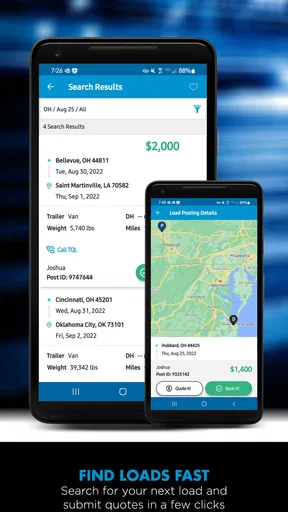
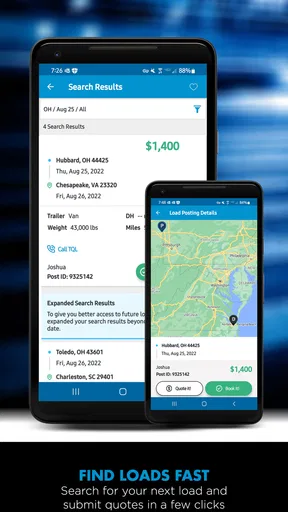
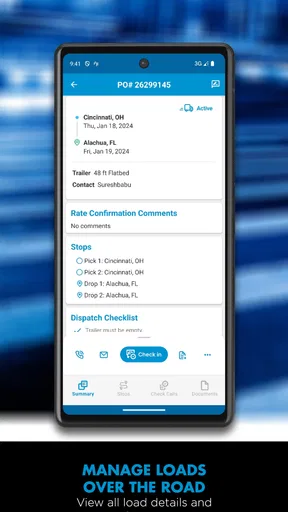
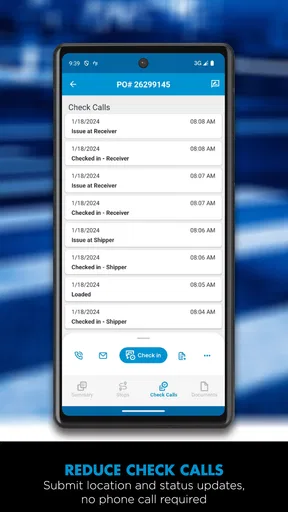
 Analysis by AppCompare
I approached TQL Carrier Dashboard as a working tool rather than a casual navigation app. Its purpose is clear: it gives carriers a place to search available loads, review the details that matter before accepting one, and handle documents from a phone. That focus makes it very different from a general map app. I would not install it expecting turn-by-turn directions or a broad trip-planning experience. I would install it when finding freight and keeping the paperwork moving are part of my normal day.
The app is free, available for Everyone, and comes from Total Quality Logistics, LLC. It sits in the Maps & Navigation category, although its practical role is closer to a carrier operations dashboard than a conventional map. With an average rating of 4.8 from around 21 thousand ratings and over 500 thousand installs, it has clearly found an audience among people who need a direct connection to load information. My overall impression is that it works best when treated as one dependable step in a repeatable dispatch routine, not as a complete replacement for every tool a carrier uses.
How I would build a dependable daily workflow
The most sensible starting point is simple. I would open the dashboard before committing to a route, search through the available loads, compare the options that fit my equipment and schedule, and then inspect the details carefully instead of choosing the first attractive result. The value is not merely seeing that freight exists. The value is reducing the time between noticing an opportunity and deciding whether it is genuinely workable.
That distinction matters because a load can look appealing in a quick scan and become less useful after checking pickup timing, delivery expectations, location, and document requirements. I found the app more useful when I slowed down for that second pass. A fast search is helpful, but the real efficiency comes from making the same checks in the same order every time.
For a practical example, imagine finishing a delivery and having a few minutes while parked safely. I would use that pause to look for the next suitable load rather than waiting until the truck is moving. I would first narrow my attention to freight that makes sense for my current position and equipment, then read the full listing, save or note the important details in my normal workflow, and only afterward deal with the paperwork. This keeps load selection separate from document handling, which makes mistakes less likely.
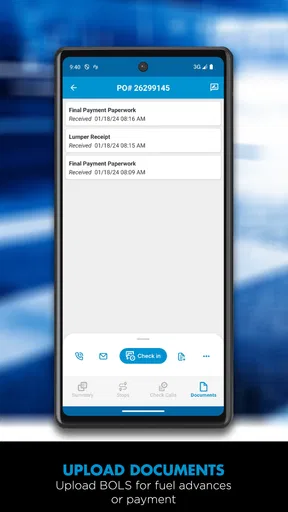
The document-scanning function is especially relevant at the end of a job. Instead of allowing paperwork to collect in the cab until the evening, I would scan the documents while they are still organized and readable. That habit is more important than it sounds. A clean scan made immediately after delivery is easier to identify than a stack of mixed pages handled hours later. The app does not remove the need to check the image, so I would always review the captured page before considering that step finished.
The strongest routine is search, verify, scan, and review in that order. It sounds ordinary, but separating those stages prevents a common operational problem: accepting a load quickly and then discovering that the supporting paperwork or timing does not fit the rest of the day.
Worth Reading Before You Choose

EA SPORTS FC Mobile 26 Is a Bigger Football Game, but It Takes Time

Flipboard Shows What News Apps Must Do Beyond the Feed

Switching to Android Auto Means Rethinking Your Driving Routine

Google Calendar Makes a Crowded Week Easier to Manage

Ludo King Makes the Most of the Minutes Between Plans

Baby Panda World Brings Quick Play to Modern Phones, but Its Game Library Feels Busy
The first setup decisions I would make
After installing the current version, I would spend a few minutes learning where the main search controls and document tools are before relying on the app during a busy turnaround. The current version is 10.1.8 and requires an operating system version of 12 or later, so compatibility is the first practical check for anyone using an older phone. If the device cannot meet that requirement, the app is not a realistic option regardless of how useful the workflow sounds.
I would also make sure the phone has enough free space for ordinary business use and that the camera lens is clean before scanning. Those are not special TQL settings, but they affect the experience directly. A carrier who opens the app only when a deadline is already close will notice every small delay, while someone who prepares the phone once and keeps the process consistent will get much more from it.
Notifications and device permissions deserve attention as well. I prefer granting only the access needed for the task at hand and checking the phone’s notification behavior rather than assuming every alert is useful. If notifications become noisy, I would adjust them at the system level so the dashboard remains helpful instead of becoming another source of interruptions. On the other hand, disabling every alert without thinking can undermine the point of checking for new opportunities, so the right balance depends on how actively I am searching.
I would not treat the app’s load search as a reason to abandon my existing records. A dashboard can show the opportunity, but I still want my own clear notes for appointment times, contact details, mileage decisions, and any commitments made outside the app. That is particularly important for drivers who switch between a phone, a dispatcher’s system, and paper documents. Using TQL Carrier Dashboard as the freight-focused part of a larger process is more realistic than expecting it to be the only place where every operational detail lives.
Settings and habits that reduce friction
Experienced use is less about discovering a dramatic hidden option and more about controlling the small choices around the app. I would begin each search with a clear idea of what I am willing to take: the direction, the equipment fit, the time window, and how far I am prepared to reposition. Without those boundaries, browsing can become an endless list of possibilities rather than a useful decision tool.
When several loads appear plausible, I would compare them using the same questions instead of switching criteria from one listing to the next. Does the pickup work with my current location? Is the delivery direction sensible? Is the timing compatible with driving hours and the rest of the day? Are the documents likely to be ready and readable? This method prevents an exciting rate or convenient pickup from hiding an awkward final leg.
I would also keep the phone display and camera behavior in mind. Scanning is easiest when the page is flat, well lit, and free from shadows. If a document contains faint text, folds, or multiple pages, I would capture each page deliberately and inspect the result immediately. The app’s scanning capability is useful because it brings the task into the same mobile workflow, but it is not a substitute for legibility. A blurry image remains a blurry image after submission.
Another worthwhile habit is separating “research mode” from “commitment mode.” In research mode, I can browse and compare without rushing. In commitment mode, I reread the selected load and confirm that I understand the details before proceeding. Keeping those mental modes distinct is a better safeguard than relying on speed alone. It also helps when a driver is interrupted by a call or a change at the current stop.
Because this is a work app, I would be careful about using it while driving. I would search while parked, during a planned break, or with a dispatcher handling the phone. The dashboard may save time overall, but no load is worth creating a distraction on the road. That is a practical limitation of any mobile freight tool, not a flaw unique to this one.
Faster patterns for repeat users
Once the basic routine feels familiar, the best gains come from repetition. I would create a short personal checklist and use it every time I evaluate a load. The checklist might begin with location and timing, continue with equipment and route fit, and finish with document readiness. The exact order can vary, but keeping it stable makes the app faster because I am no longer deciding how to decide.
One useful pattern is to search early enough to have alternatives. If I wait until the truck is empty and the next move is urgent, I am more likely to accept the first acceptable option. If I look ahead while still finishing the current job, I can compare more calmly and spot whether a load actually improves the day. This is where the dashboard’s fast access to load information matters most: not just emergency searching, but earlier planning.
I would use the app in short sessions rather than leaving it open constantly. A focused check before departure, another during a safe break, and a final review after delivery can be more manageable than repeatedly refreshing without a decision. This approach also makes it easier to remember what has changed and what still needs action.
For document scanning, I would adopt a “capture once, verify once” rule. I would prepare all pages, scan them in a sensible order, and check the resulting images before putting the originals away. Repeatedly reopening the camera because pages were mixed or poorly framed wastes more time than a careful first pass. If a page is unclear, recapturing it immediately is usually easier than trying to identify the problem later.
Another advanced but simple habit is keeping physical documents grouped by load until the workflow is complete. The dashboard can help digitize them, but it cannot identify a page that has been mixed with another shipment by accident. I would use a separate folder or envelope for each job and only archive the papers after confirming that the digital copies are usable. This is the kind of operational discipline that makes the scanning feature genuinely valuable.
There is also a trade-off between speed and verification. The app is designed to help users find loads quickly, but fast access can encourage shallow reading. I would rather spend an extra moment checking the complete listing than save that moment and create a scheduling problem later. The faster pattern is not “tap through everything.” It is reducing wasted searches while preserving the checks that protect the rest of the trip.
Where it fits beside other navigation tools
I would not compare this dashboard directly with Google Maps, Apple Maps, or a dedicated truck-navigation product because they solve different problems. A road-navigation app is better for turn-by-turn guidance, traffic awareness, and route visualization. TQL Carrier Dashboard is better suited to the freight decision and document side of a carrier’s work. In my setup, I would use the dashboard to identify and manage the load, then use a navigation tool that matches the truck’s routing needs.
That separation is a strength when each app has a clear job. It becomes a weakness if someone expects one installation to handle load sourcing, dispatch communication, detailed truck routing, accounting, and document storage. The dashboard can be an important operational hub, but it should not be mistaken for a full transportation management system or a general-purpose map.
It also differs from a generic file-scanning app. A standalone scanner may offer broader document organization, while this app has the advantage of keeping scanning close to the carrier workflow. I prefer that proximity when I am dealing with paperwork immediately after a load. If my main need were scanning household receipts or maintaining a large personal archive, I would choose a dedicated document app instead.
Limits that experienced users should understand
The first limitation is scope. The app is built around TQL’s carrier dashboard, so its usefulness depends on whether that workflow matches the way I obtain and manage freight. A driver who never works with this type of carrier-facing process may find the app less relevant than a general load board or a dispatcher’s established platform. The free price removes a financial barrier, but it does not make the app universally suitable.
The second limitation is that mobile convenience does not eliminate operational responsibility. I still need to read load information carefully, protect sensitive paperwork, keep records organized, and confirm that scanned pages are complete. The app can shorten the path between action and submission, but it cannot decide whether a particular trip is financially or logistically sensible for me.
Screen size is another consideration. A phone is excellent for quick checks and immediate scanning, but comparing many details on a small display can be tiring. If I were reviewing a complicated day with several stops, I would prefer a larger screen or a separate planning tool for the broader picture. The dashboard is strongest for focused actions, not for replacing every desktop-style planning task.
Connectivity and device condition naturally affect a mobile workflow too. A weak signal, a nearly empty battery, or a damaged camera can turn a convenient process into a frustrating one. I would keep the app updated when practical, carry a charging option, and avoid leaving document capture until the last possible moment. These preparations do not add features, but they make the existing ones more dependable.
I would also skip it if I wanted a polished consumer navigation experience. The Everyone age rating makes it broadly accessible, but the intended value is professional and task-oriented. Someone looking for restaurant directions, sightseeing routes, or a simple commute planner would be better served elsewhere. This is a workbench for carriers, not a travel companion for general errands.
My verdict after using it as a carrier tool
TQL Carrier Dashboard makes the most sense for a carrier who wants a focused mobile way to search loads and keep document handling close to that process. I like the directness of the workflow: find an opportunity, inspect it, and deal with the paperwork without jumping between unrelated tools. The app’s strongest quality is not visual novelty; it is the way it can become a repeatable part of a driver’s day.
The high average rating and broad install base suggest that many users find that focus worthwhile. It is free, and its age rating keeps the entry point straightforward. The developer, Total Quality Logistics, LLC, has kept the product centered on the carrier dashboard rather than turning it into a crowded all-purpose utility. For the right user, that restraint is useful.
Still, I would recommend approaching it with realistic expectations. It does not replace a dedicated navigation app, a complete dispatch platform, or careful personal recordkeeping. It also rewards users who verify load details and check scanned pages instead of assuming that a quick tap equals a finished task. If you want a single app to manage every part of trucking operations, this will feel limited. If you want a practical TQL-focused companion for load search and document scanning, those limits are easier to accept.
My recommendation is strongest for drivers and carriers who already have a consistent routine and want to make two specific steps faster. Install it on a compatible device, set aside time to learn the search and scanning flow, and build a checklist around your real working day. Used that way, the dashboard becomes more than a place to look for freight: it becomes a reliable checkpoint between finishing one job and preparing for the next.
In short, I would keep TQL Carrier Dashboard in my working toolkit when TQL load access and mobile paperwork are central to my operation. I would pair it with a proper truck-navigation solution and my own record system, rather than asking it to do everything. Its real advantage is disciplined convenience: fewer disconnected steps, provided I still do the careful checking. That makes it a worthwhile choice for the right carrier, but not a universal replacement for every app in the cab.
Pros
- Quickly view loads
- offers
- and shipment details from one dashboard.
- Useful status updates help carriers monitor active freight while on the move.
- Centralized access can reduce the need to switch between separate tools.
- Designed for transportation workflows and carrier-specific information.
- Convenient mobile access supports dispatchers and drivers away from a computer.
Cons
- Requires a TQL account or approved carrier access to use its main features.
- Performance and data freshness may depend on network connectivity.
- The interface may feel specialized and less intuitive for new users.
- Limited usefulness for carriers that do not work with TQL shipments.
- Frequent notifications could become distracting during busy operating periods.
FAQs for TQL Carrier Dashboard
What is TQL Carrier Dashboard used for?
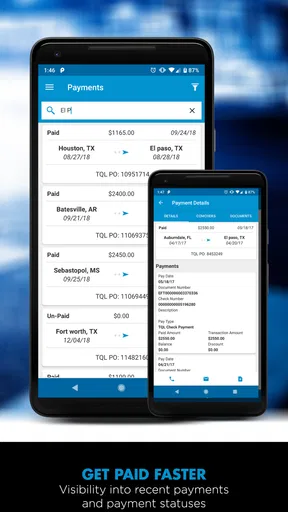
TQL Carrier Dashboard is designed for carriers and transportation professionals working with Total Quality Logistics. It provides access to shipment-related information, load opportunities, status updates, documents, and communication tools in one place. After signing in, users can manage relevant freight activity more efficiently instead of relying entirely on phone calls, emails, or separate paperwork systems.
Who can use the TQL Carrier Dashboard?
The dashboard is intended primarily for approved carriers, dispatchers, fleet managers, and other transportation partners working with TQL. You generally need valid carrier credentials or an authorized account before you can access its features. It is not a general load-board application for anyone to use anonymously, so registration and account approval may be required.
What information or features are available in the dashboard?
Depending on your account permissions and the current version of the platform, TQL Carrier Dashboard may allow you to review available loads, manage booked shipments, track status, view pickup and delivery details, submit or access paperwork, and communicate with TQL. Available tools can differ by carrier profile, equipment type, shipment, and regional requirements.
Is TQL Carrier Dashboard available on Android and iPhone?
Access options can depend on how TQL currently provides the service. Some users may access the Carrier Dashboard through a mobile-friendly website, while others may use an official Android or iOS application if one is available in their region. Before downloading anything, verify the developer, app name, permissions, and official TQL links to avoid unofficial or misleading copies.
Is TQL Carrier Dashboard free to download and use?
Carriers typically do not pay a standard consumer subscription fee simply to access a carrier portal, but account eligibility and business agreements may apply. Any charges, payment terms, or service conditions are determined by TQL and the carrier relationship rather than by the app alone. Review the official terms and confirm requirements before creating an account or accepting loads.


